
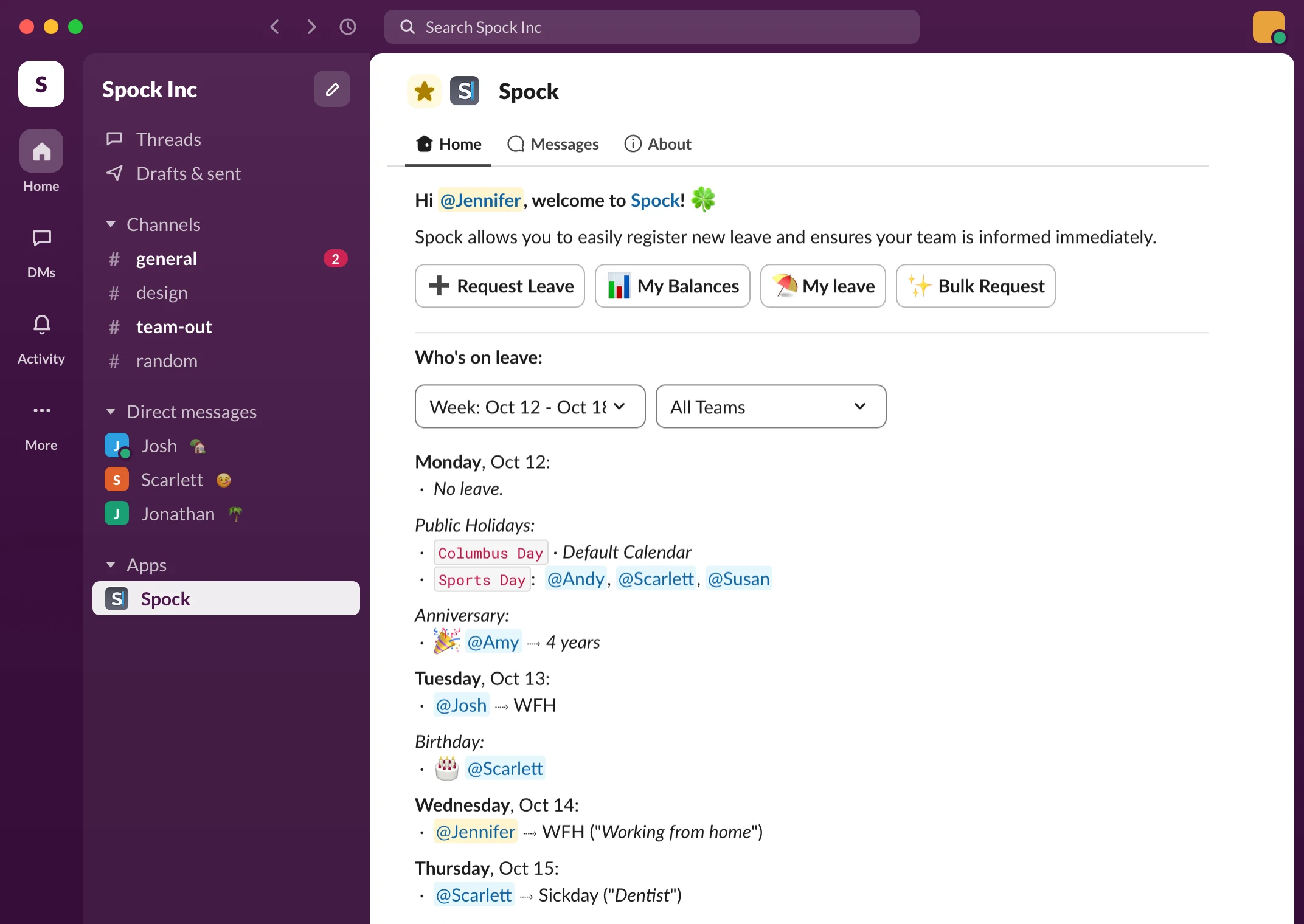


Why teams switch to Spock
Other time off apps send your team somewhere else.
Spock stays in Slack.
Every extra login is a reason to skip the tool. Requests end up in DMs, the calendar goes stale, and HR is back to asking who's out on Friday.
Admins set up policies once in a web dashboard. Everyone else never leaves Slack.
How it works
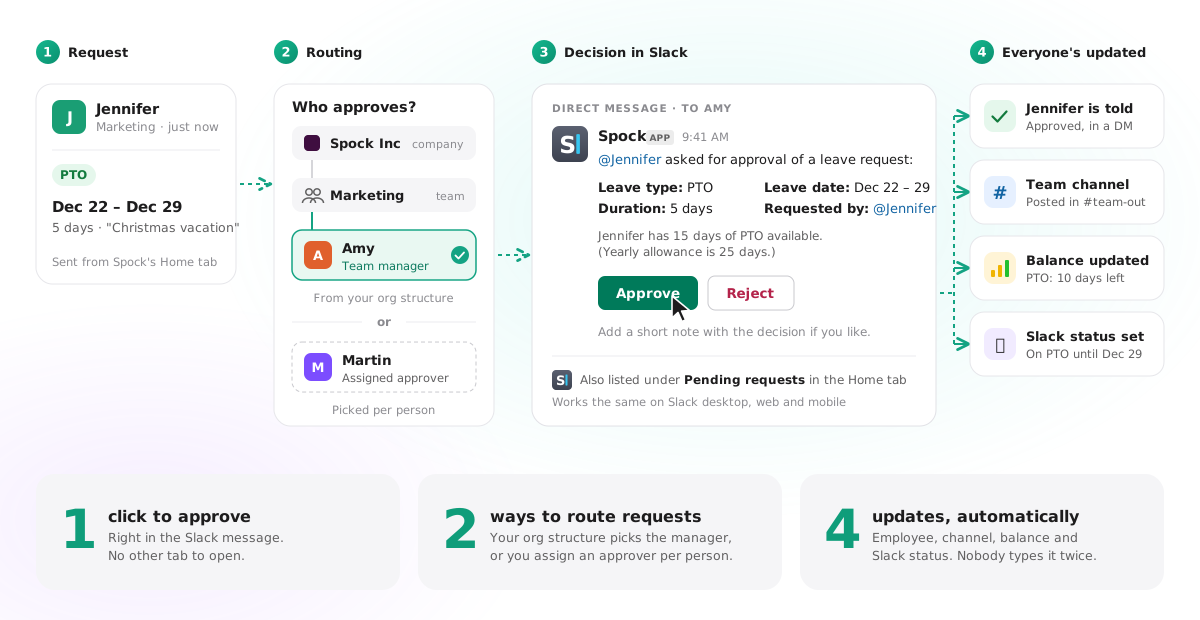
Ask, approve, done.
Nobody opens a browser.
Your teammate picks the dates. The right manager gets a Slack message with an Approve button. One tap later, their balance, the team channel and their Slack status are all up to date.
What you get
Everything HR needs.
Nothing your team has to learn.
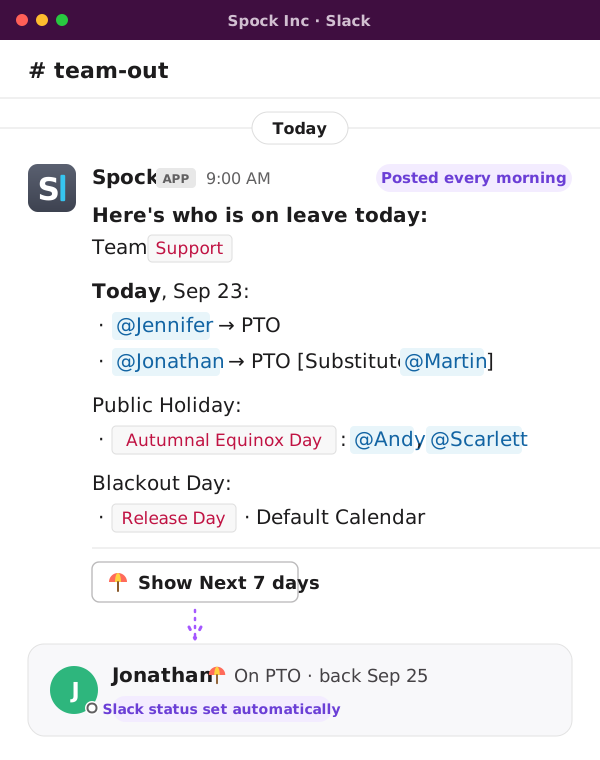
Who's out, posted every morning
A daily message in the channel you choose, cover included. Nobody has to ask "are you around?"
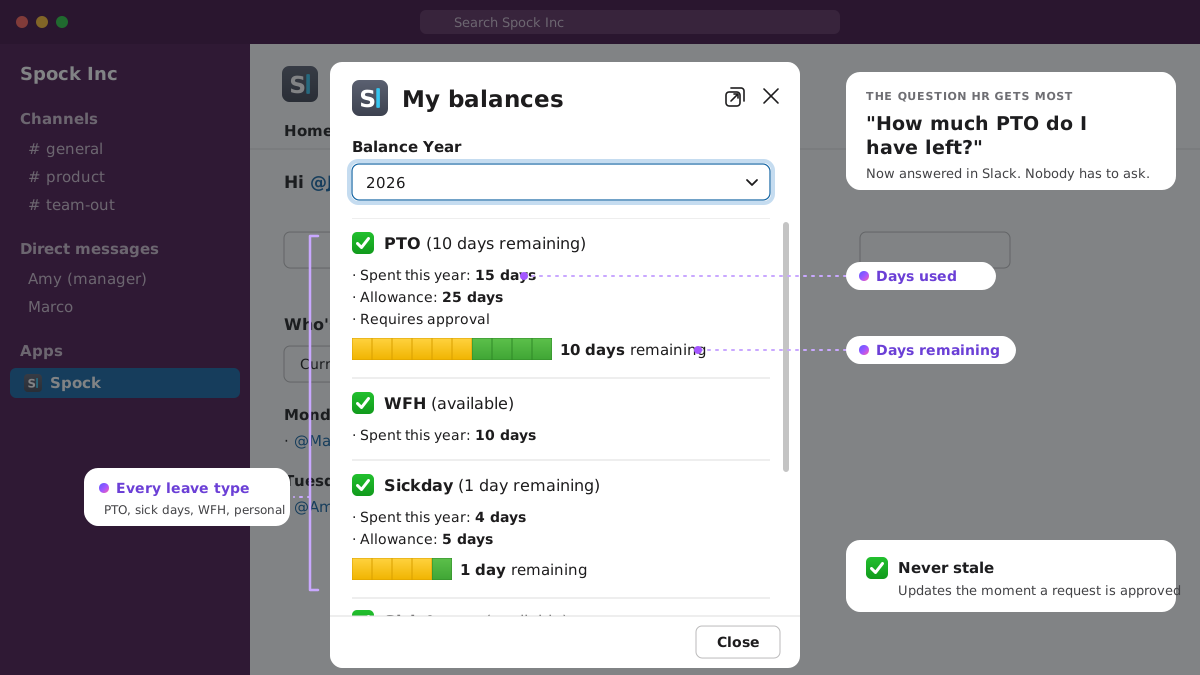
Balances nobody has to ask about
Days used and days left, per type, updated the moment a request is approved.
Rules per team and office
Allowances, accruals, carryover and approvers. Set once, applied everywhere.
Holidays for 140+ countries
Each office gets its own calendar, so time off counts real working days.
A Slack status that sets itself
Approved time off shows on their profile. No one has to remember.
Cover named on every request
Substitutes show up in the calendar and the daily message, so work doesn't stall.
Birthdays and anniversaries
A friendly nudge in Slack, so the dates that matter never slip by.
Reports for payroll
Weekly, monthly and yearly views, CSV export and an API.
“It's like Spock took a weight off my shoulders. It's a leave tracking system that just works and helps bring transparency to my team.”
 Igor BenoCo-Founder, Sufio
Read Sufio's story
Igor BenoCo-Founder, Sufio
Read Sufio's story
Setup
Set up in minutes.
No invites, no training.
-
Add Spock to Slack
One click. Your whole workspace comes along, synced automatically.
-
Set your rules once
Leave types, allowances, holidays and approvers, in the admin dashboard.
-
Your team just uses Slack
Nothing to install, nothing to log in to. The Spock tab is already there.
Free for your whole team.
Upgrade when you need rules.
Professional is $19.90 a month for your first 20 people, with a 14-day free trial. No credit card.