
PTO tracking
that lives in Slack
Updated
Requests, approvals and balances inside Slack. No spreadsheet, no HR portal, nothing for your team to install.
Free plan for any team · 14-day trial, no card · 4.9/5 on Capterra
Looking at it from the vacation-planning side? See the vacation tracker for Slack.
Check your PTO balance
in Slack
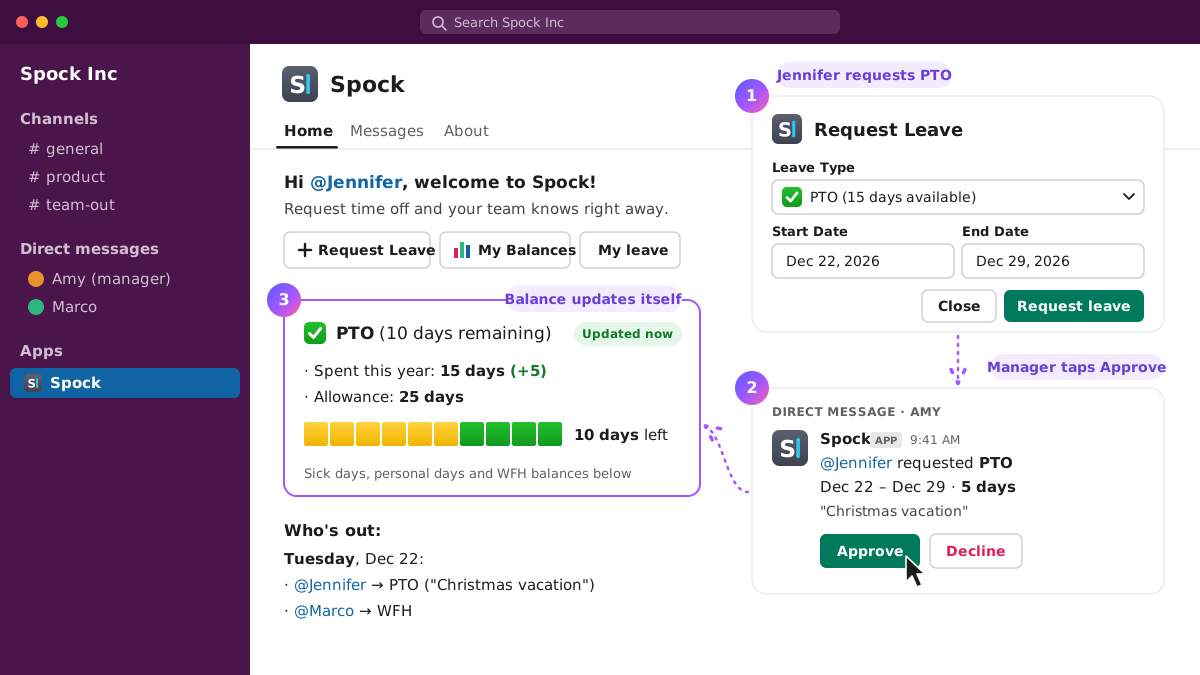
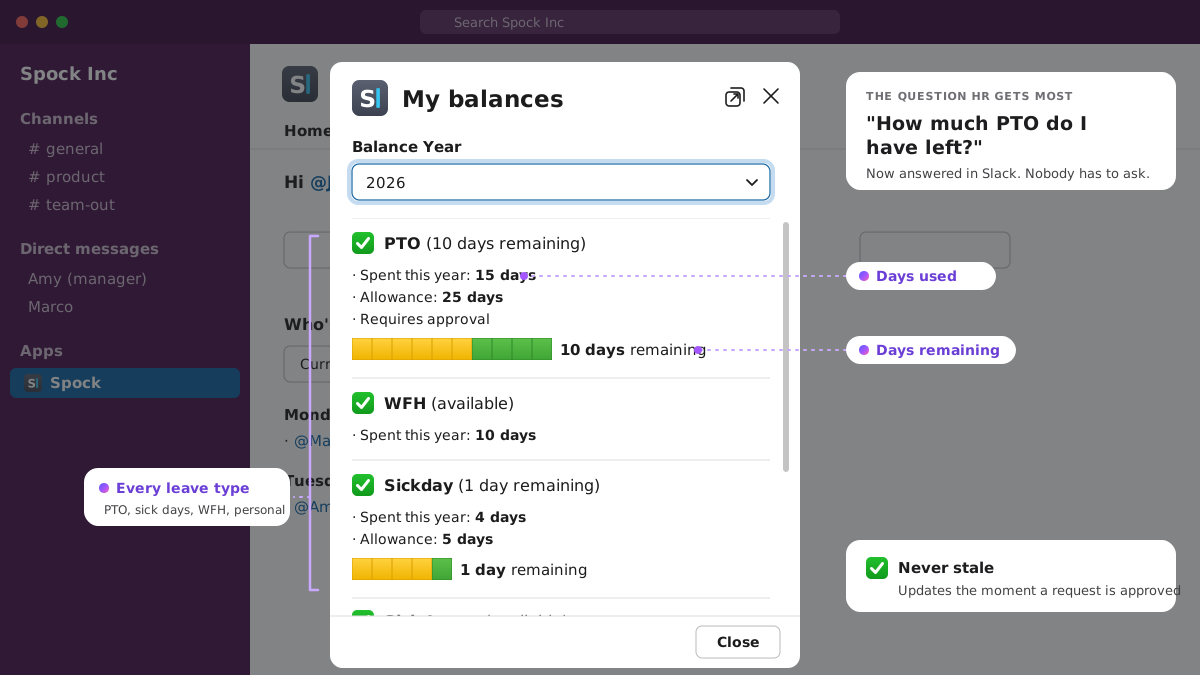
"How much PTO do I have left?" is the most common question HR gets. In Spock, the answer is in the Home tab: days used, days remaining, per type. Sick days, vacation, personal days, whatever your policy calls them.
Balances update the moment a request is approved, so the number is never stale. And nobody has to ask.
Request PTO and get it
approved in Slack
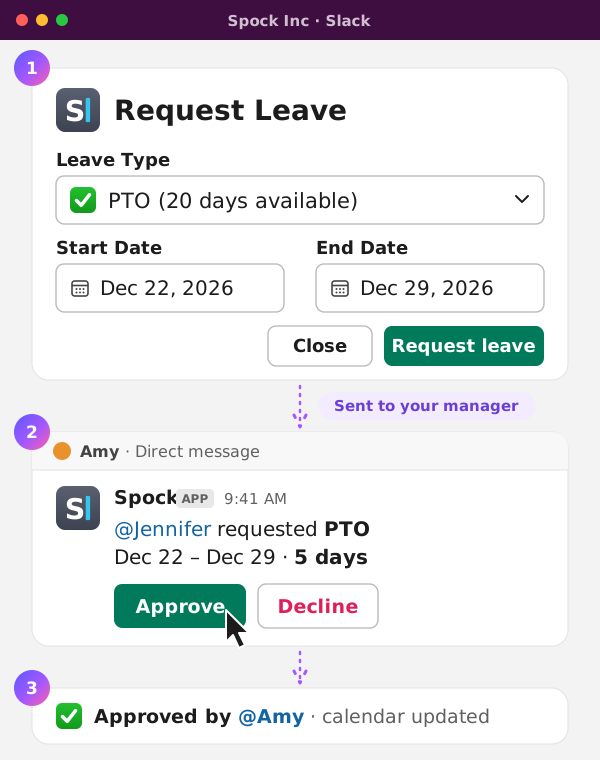
Open Spock in Slack, pick the dates and the type, send. Your manager gets the request as a Slack message with approve and decline buttons. They tap one, you get the answer, the calendar updates. Nobody opened a browser.
Half days and hours count too, for the dentist appointment or the early Friday.
Approvals follow your org chart automatically, or you pick the approver per team. Managers can also log PTO on someone's behalf when a request came in by text at 7am.
PTO policies per team,
set once
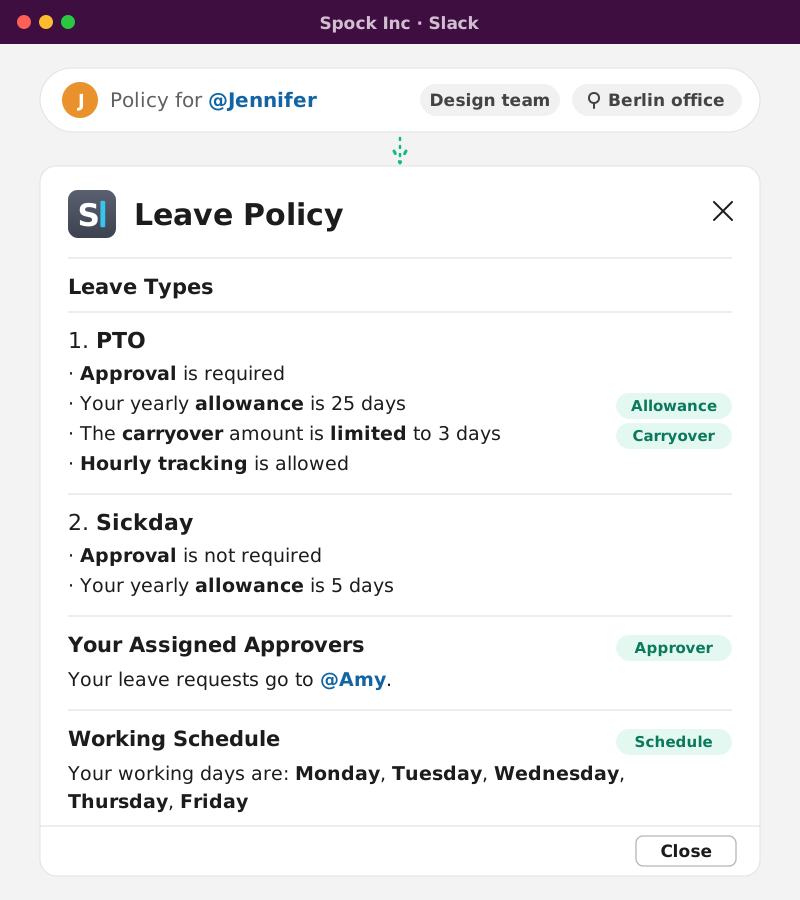
Different teams, different rules? Give each department, office or project its own leave types, allowances and approvers. Someone in the Berlin office and someone in Austin can be on completely different policies inside the same workspace.
Set the yearly allowance per type. Add a carryover rule with a cap so unused days roll into January the way your handbook says. Up to three leave types on the free plan, unlimited on Professional.
See who's out, every day,
without asking
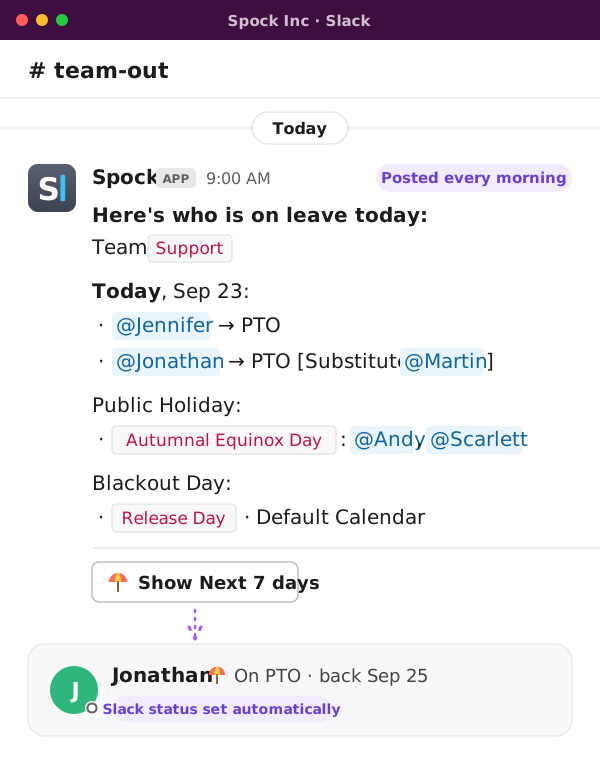
Spock posts a "who's out today" message to a channel each morning. The team calendar in the Home tab shows the week ahead. Approved PTO sets the person's Slack status automatically, so the "are you around?" message never gets sent.
If someone names a substitute when they request PTO, the substitute shows up in the calendar and the daily message too.
PTO reports
for HR and payroll
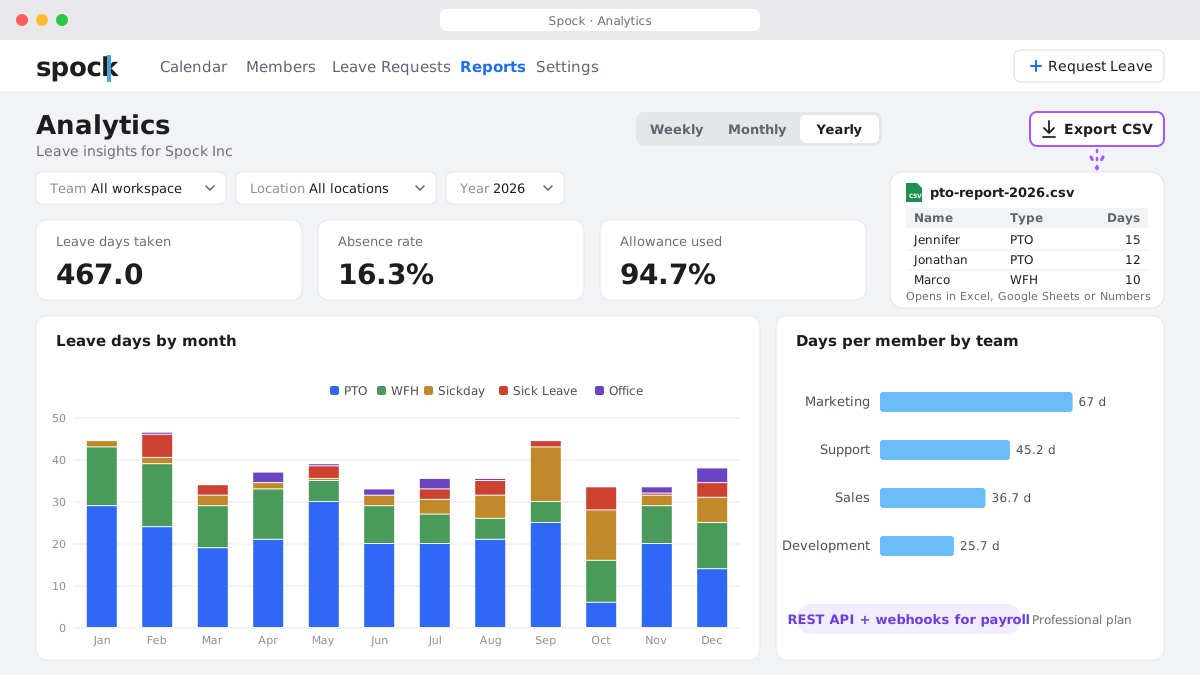
Weekly, monthly and yearly reports on who took what. Export to CSV and open it in Excel, Google Sheets or Numbers. Professional plans also get a REST API and webhooks if payroll wants the data pushed rather than pulled.
Public holidays
for every location
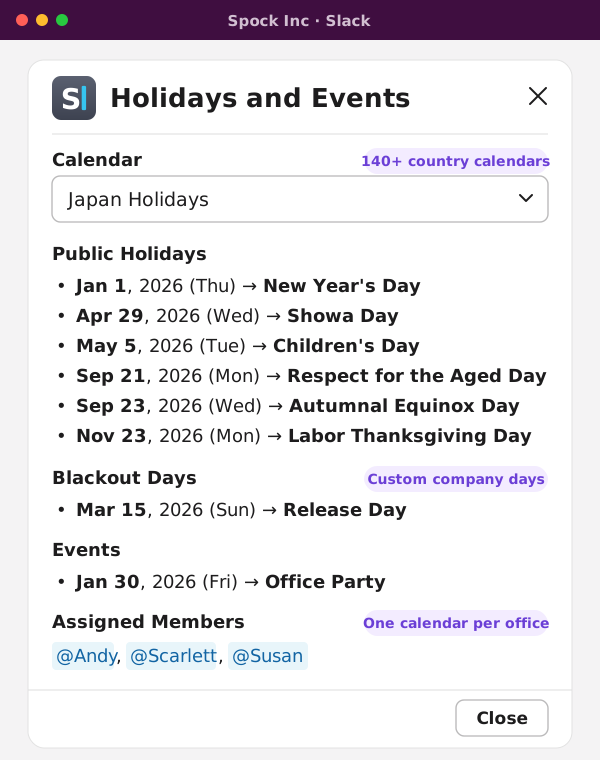
Import holiday calendars for 140+ countries and assign one per office, so PTO days are counted against working days that actually exist there. Custom company days go in the same place.
Where does your team
actually track PTO?
Every PTO tracker on this list connects to Slack. Here's where your team ends up when they need to do something.
| Feature | Spock | Vacation Tracker | AttendanceBot | TimeBot |
|---|---|---|---|---|
| Request time off in Slack | Yes | Yes | Yes | Yes |
| Approve in Slack | Yes | Yes | Yes | Yes |
| Team calendar in Slack | Yes | Partial (web dashboard is primary) | Partial (web dashboard is primary) | No, only today's absences |
| Balances visible in Slack | Yes | Yes | Pro plan only | Partial |
| Employees need a separate web login | No | Only for the full calendar | Only for the full calendar | No |
| Colleague covers while you're out | Yes (Professional) | No (Complete has substitute approvers) | No | No |
| Carryover | Yes (Professional) | Yes (Core and Complete) | Yes (Pro) | No |
| Free plan | Yes, up to 3 leave types | No, 14-day trial only | Yes, up to 5 users | Yes, 20 requests a month |
| Price for a 20-person team | $19.90/mo | $50/mo (Core, monthly; $45.83 yearly) | $80–120/mo (Standard) | $20/mo (Starter) |
Competitor details as of October 2026, from their public pricing and feature pages.
Comparing options? See Spock vs Vacation Tracker and Spock vs TimeBot.
Set it up before the next
"how many days do I have?"
Add Spock to Slack, import your people from Slack automatically, set your PTO types. Free plan for any team size, or a 14-day trial of everything, no card.