
The vacation tracker
that lives in Slack
Updated
Requests, approvals, calendar and balances in the app your team already has open. Nothing to install for employees, no new login to remember.
Free plan for any team · 14-day trial, no card · 4.9/5 on Capterra
Tracking PTO rather than vacation days? See the PTO tracker for Slack.
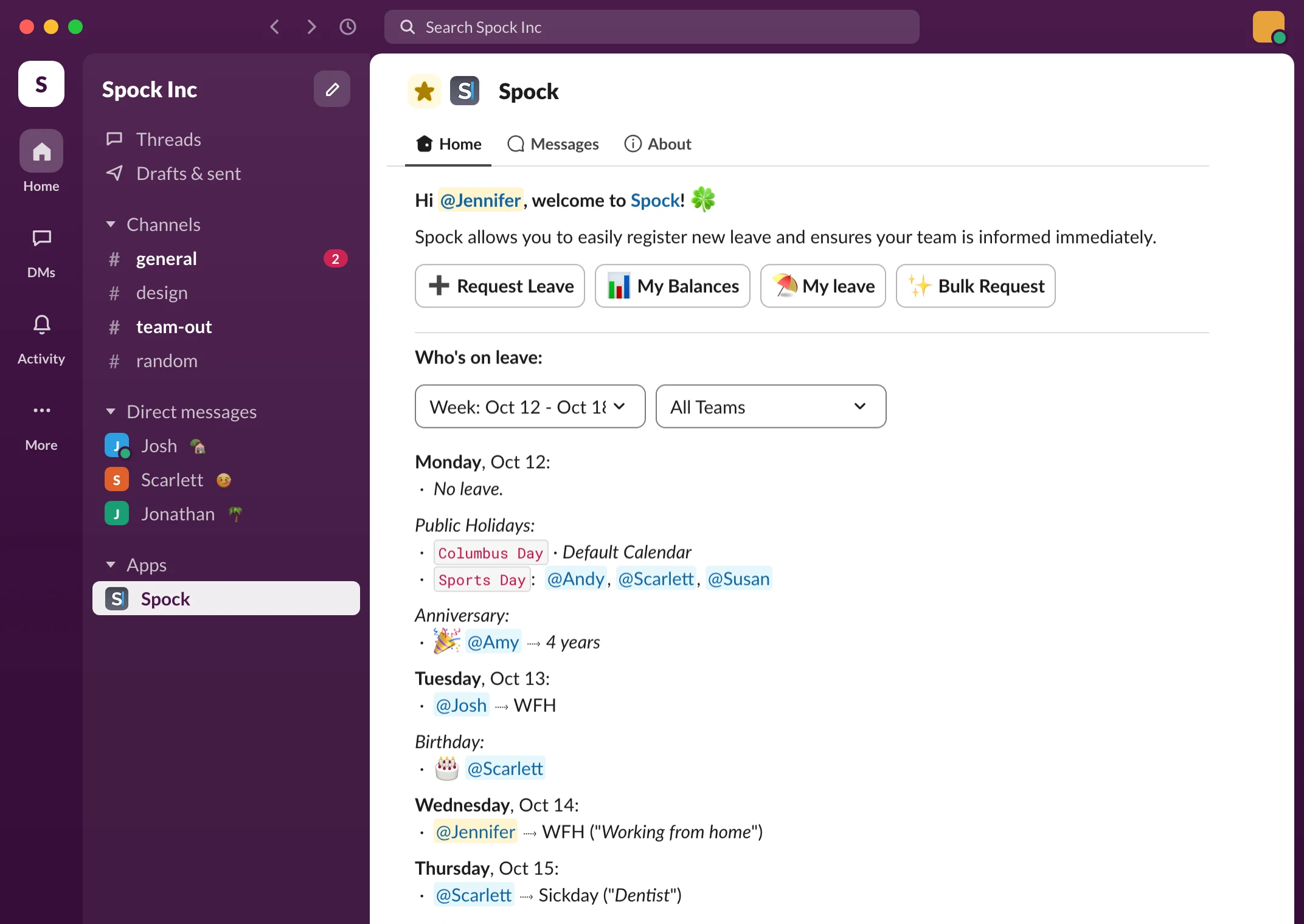
Slack vacation calendar:
see who's off this week
Open Slack, open Spock, and the week is right there. Who's on vacation, who's working from home, who's back Thursday. No spreadsheet to find, no HR portal to log into.
Daily who's out message
Every morning Spock posts a short "who's out today" message to the channel you pick, so nobody plans a meeting around someone who's on a beach. Managers see their team, admins see everyone.
Calendar sync
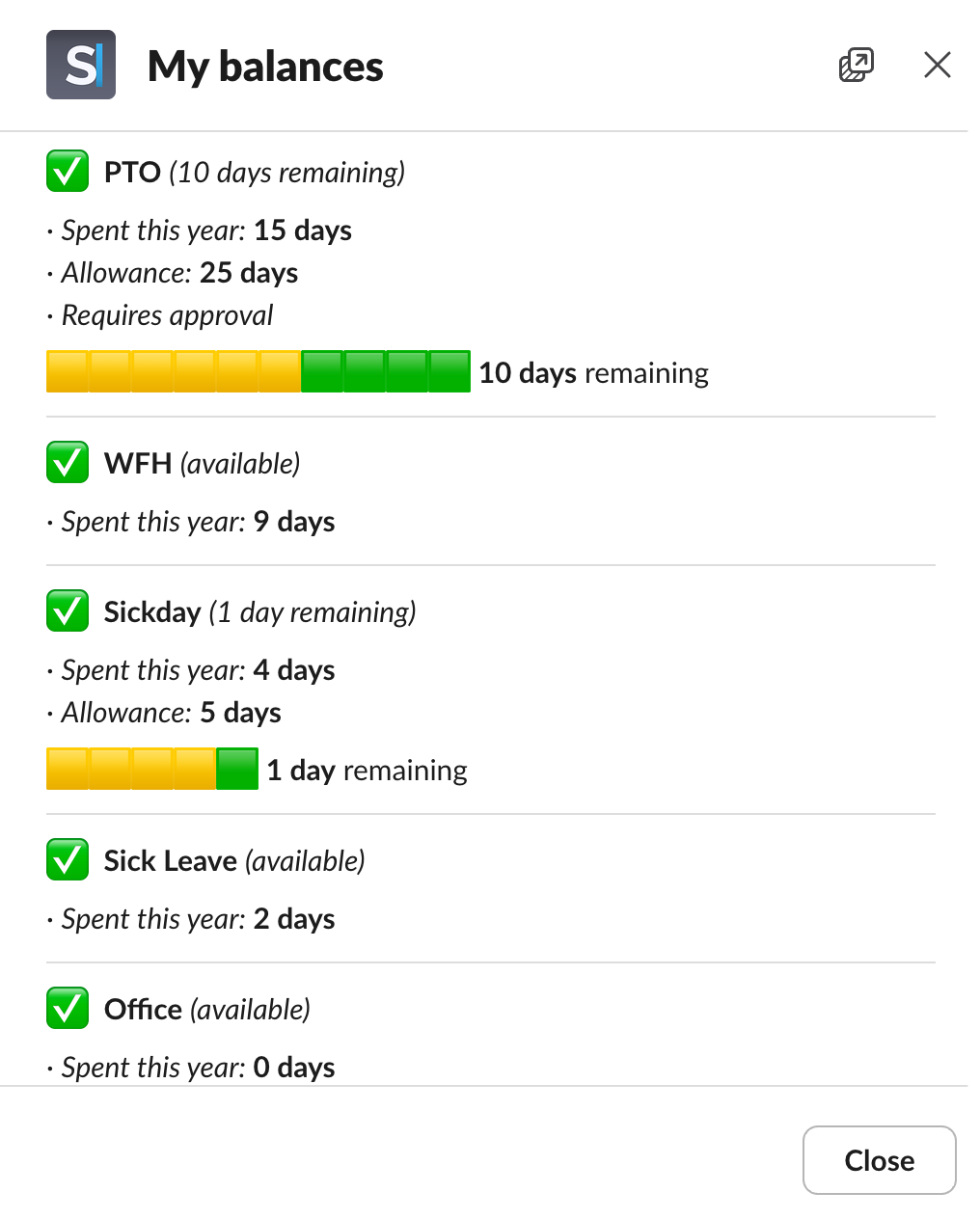
Want it in your own calendar too? Sync Spock to Google Calendar, Outlook, Office 365, Apple Calendar or any iCal feed, and vacations show up next to your meetings.
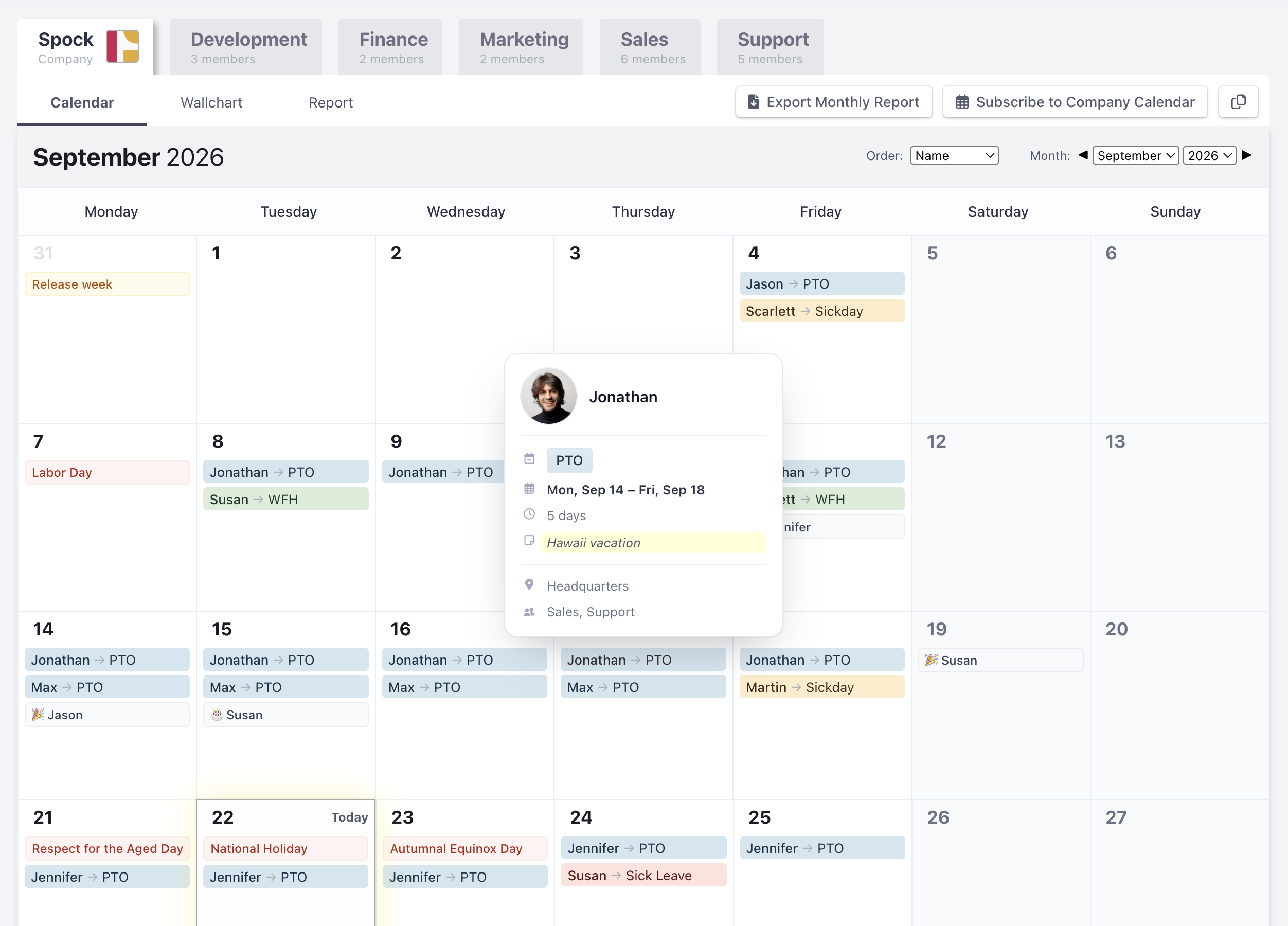
Request vacation
without leaving Slack
Pick the dates, pick the type, hit send. That's the whole request. It takes about ten seconds from the Spock Home tab, and it works the same on Slack desktop, web and mobile.
Your manager gets a Slack message with the request and two buttons: approve or decline. One tap, done, and you get a message back. If your team routes approvals through someone else, Spock follows your org structure or the approver you set.
Half days and hourly time off work too. And if someone forgot to ask before they left, a manager can log it on their behalf.
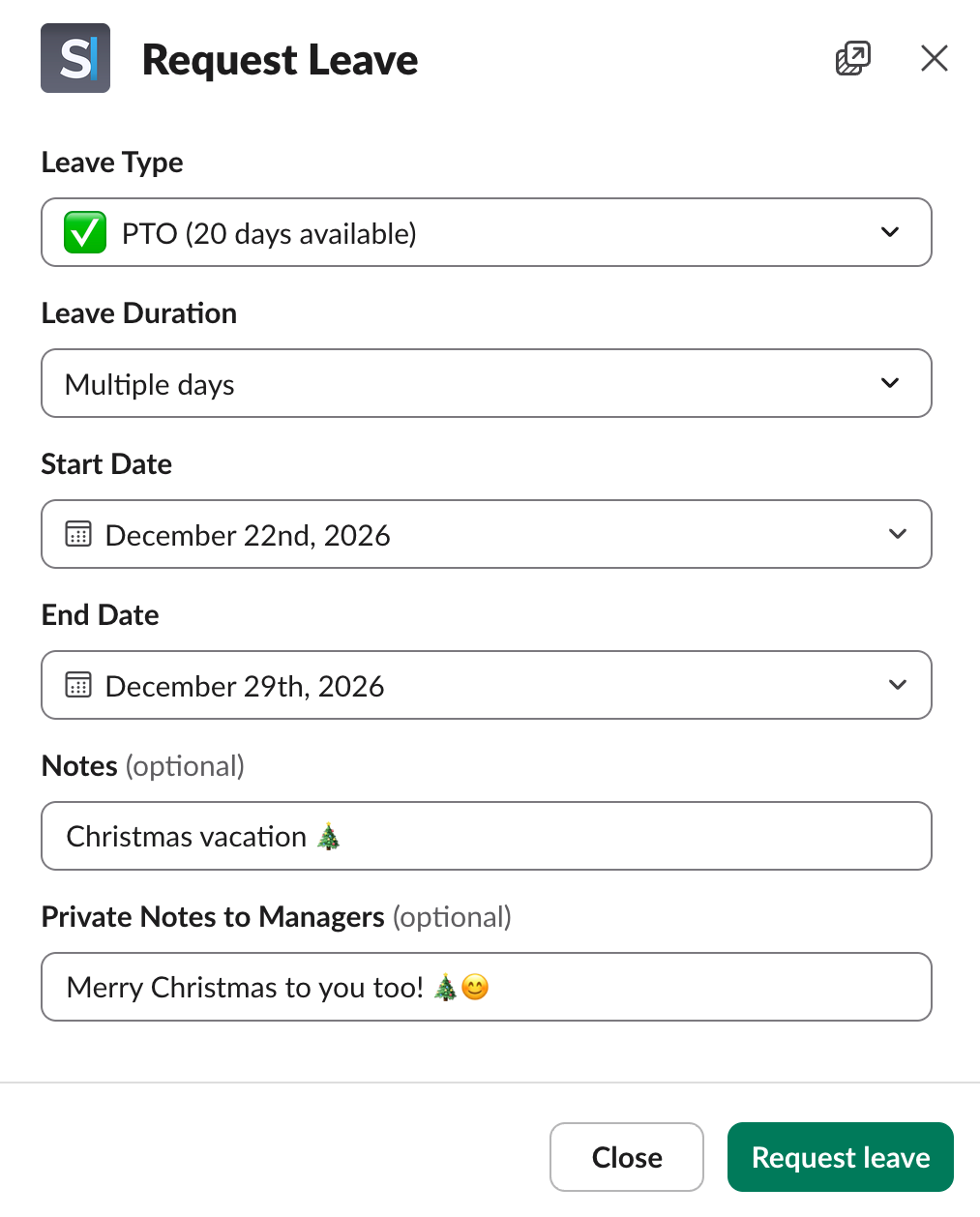
Vacation balances and schedules,
always current
Everyone can see their own balance in Slack: days used, days left, per leave type. No more "how many days do I have?" messages to HR.
Allowance and carryover
Admins set the yearly allowance for each type once. Spock keeps the count, handles carryover into next year with whatever limit you choose, and applies different rules to different teams if your offices or departments don't all get the same days.
Reports and exports
Need the numbers for payroll or a board update? Weekly, monthly and yearly reports, exportable to CSV for Excel, Google Sheets or Numbers.
Set your vacation status
in Slack automatically
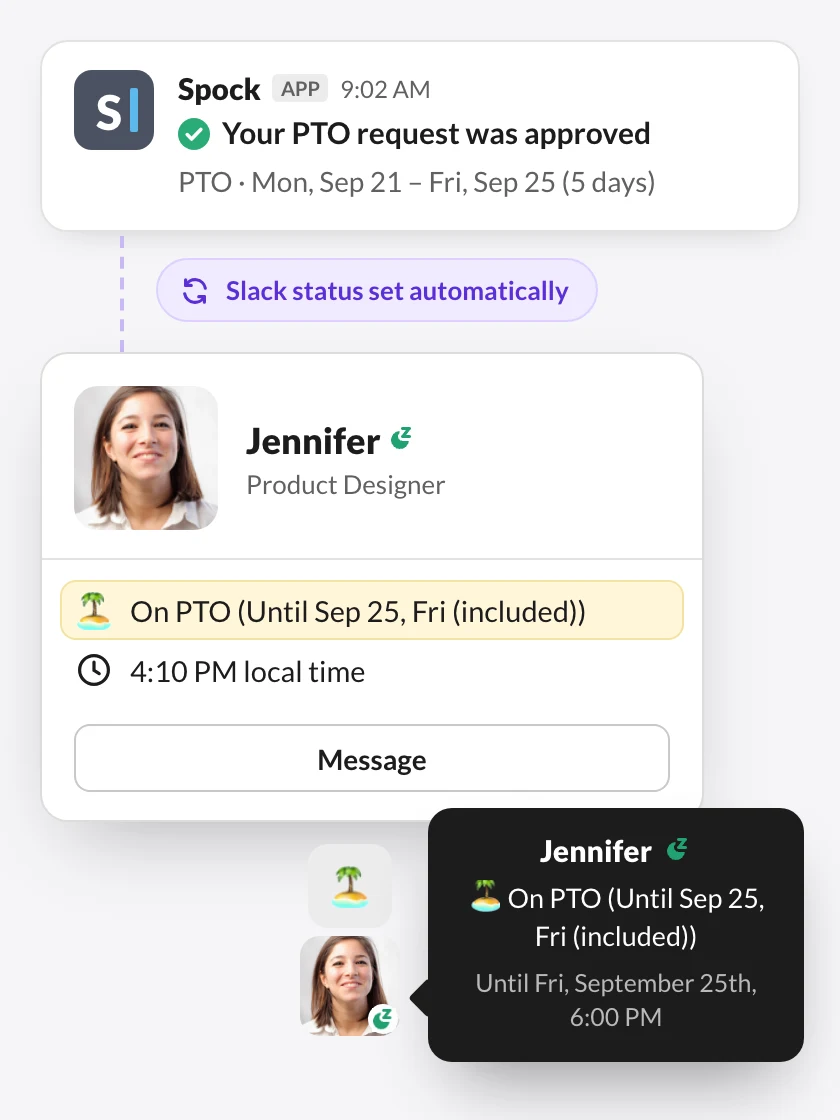
Approved vacation updates the person's Slack status for the dates, so colleagues see "on vacation until Monday" before they send a message. When they're back, the status clears itself.
If someone else is covering, they can name a substitute when they request time off. The substitute shows in the calendar and in the daily message, so people know who to ask instead.
Add public holidays to Slack
for every office
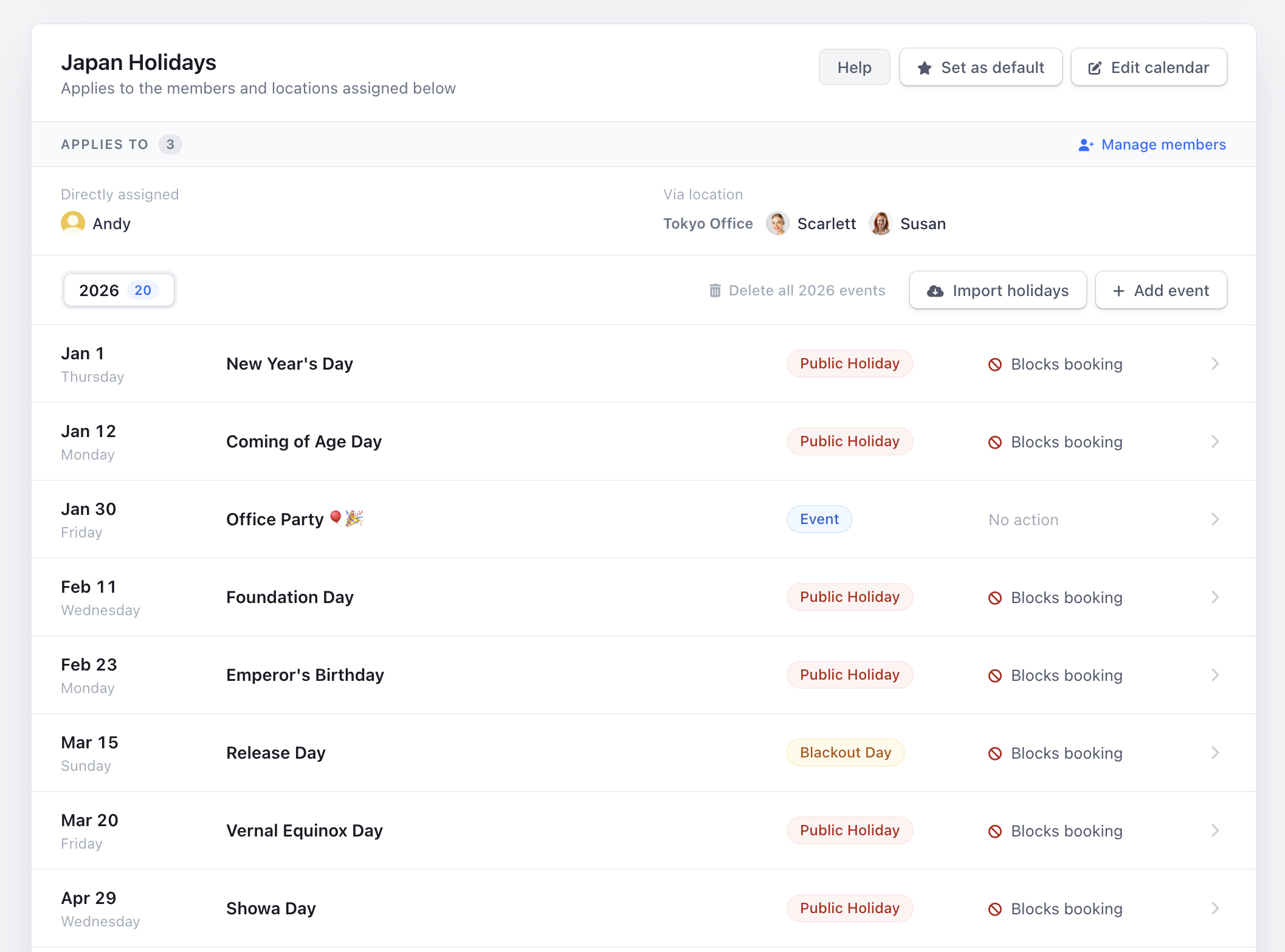
Import the public holiday calendar for any of 140+ countries. If you have offices in more than one place, give each location its own calendar and Spock counts the right days off for the right people.
Custom calendars work for anything else: company days, a summer Friday, the day after the offsite.
Where does your team
actually use it?
Most vacation trackers connect to Slack. The question is where your team ends up when they need to do something.
| Feature | Spock | Vacation Tracker | AttendanceBot | TimeBot |
|---|---|---|---|---|
| Request time off in Slack | Yes | Yes | Yes | Yes |
| Approve in Slack | Yes | Yes | Yes | Yes |
| Team calendar in Slack | Yes | Partial (web dashboard is primary) | Partial (web dashboard is primary) | No, only today's absences |
| Balances visible in Slack | Yes | Yes | Pro plan only | Partial |
| Employees need a separate web login | No | Only for the full calendar | Only for the full calendar | No |
| Colleague covers while you're out | Yes (Professional) | No (Complete has substitute approvers) | No | No |
| Carryover | Yes (Professional) | Yes (Core and Complete) | Yes (Pro) | No |
| Free plan | Yes, up to 3 leave types | No, 14-day trial only | Yes, up to 5 users | Yes, 20 requests a month |
| Price for a 20-person team | $19.90/mo | $50/mo (Core, monthly; $45.83 yearly) | $80–120/mo (Standard) | $20/mo (Starter) |
Competitor details as of October 2026, from their public pricing and feature pages.
Comparing options? See Spock vs Vacation Tracker and Spock vs TimeBot.
Try it with your team
this week
Add Spock to Slack, import your people, set your first leave type. Most teams are running in under 15 minutes. Free plan for any team size, or a 14-day trial of everything, no card.